
Miuci AI: AI Photo & Video Gen
FunkedenicPhotography
4.733.00 Reviews
- Version
- 1.3.3
- Installs
- 1.00M
- Age Rating
- Everyone
Screenshots






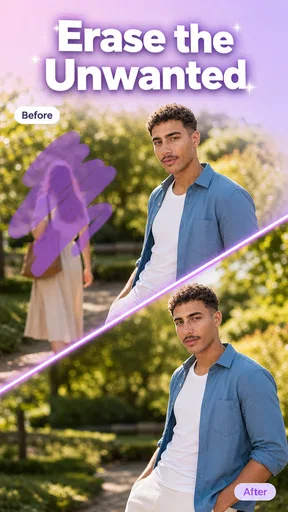
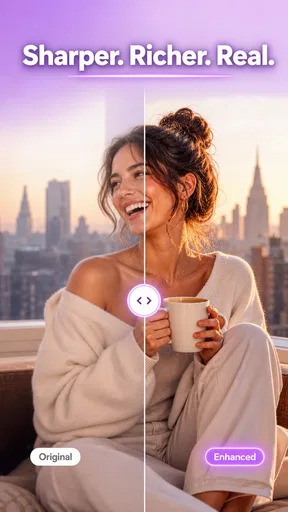
Our Review of Miuci AI: AI Photo & Video Gen
 Analysis by Appyee
I opened Miuci AI from Funkedenic expecting a focused tool for turning a rough idea into something visual, and that is exactly the role it seems designed to fill. It sits in the photography category, but it is not simply a camera replacement. Its purpose is to help me create AI images and videos, move from written prompts to visuals, transform an existing image into motion, and improve photos that already need some help.
That combination makes it interesting for people who often have an idea before they have the right picture. I can start with a sentence, use a photo I already have, or treat an ordinary image as the first step toward a more stylized result. In my experience, the most useful way to judge this app is not by asking whether it replaces a full photo editor. It does not. The better question is whether it shortens the distance between an everyday visual problem and a usable image or clip.
From a vague idea to a finished visual
I look at this section as the starting point for choosing the right route, rather than expecting one prompt to do everything. A simple idea is often easier to judge when I first decide whether I need a new image, a change to a photo I already have, or motion from a still. That choice also shapes what I should expect from the next stage.
The starting condition matters more than the effect
The app is most appealing when I begin with something incomplete: a visual concept for a social post, a mood image for a personal project, an old-looking photo that needs improvement, or a still picture that would be more engaging with movement. Instead of collecting several separate apps for those jobs, I can keep the initial experiment inside one AI-focused workspace.
That does not mean every starting point produces the same quality. A short prompt gives me speed, but a carefully described prompt gives me more control over the subject, setting, atmosphere, and intended style. When I want a predictable result, I find it better to describe the main subject first, then the environment, lighting, composition, and mood. This order reduces the chance that the visual idea becomes a pile of unrelated adjectives.
For a casual user, the attraction is obvious: I do not need to know traditional editing techniques before trying to make something. For a photographer, the value is different. The app can act as a fast sketching tool, helping me test a concept before spending time on a more deliberate shoot or a desktop editing session.
Creating from text without losing the original idea
The text-to-image workflow is the natural place to begin when I have no suitable source photo. I treat the first generation as a draft rather than a final answer. That mindset is important because AI visuals often capture the broad idea before they capture the exact details I imagined.
A practical approach is to keep the first prompt simple. I might establish one clear subject and one setting, then refine the wording after seeing the result. If I add too many objects, styles, and instructions at once, it becomes harder to understand which part caused an unwanted change. The app is more useful when I use it as an iterative visual notebook instead of expecting a perfect image from one sentence.
One non-obvious advantage of this process is that it separates creative decisions from camera limitations. I can explore a composition that would be difficult to arrange in real life, then decide whether the result is useful as a finished image, a reference, or a starting point for another edit. That makes the generator valuable even when I do not intend to publish the generated picture exactly as it appears.
Using an existing image as the handoff point
When I already have a photo, the experience changes. Rather than describing everything from zero, I can use the image as the visual anchor and focus on what I want to improve or transform. This is where the app’s image-to-video and enhancement functions become more practical than text generation alone.
The handoff from a still image to a moving result is especially useful for content that feels visually strong but static. A travel photo, product image, portrait, or atmospheric scene may gain more attention when presented as a short visual sequence. I would not treat this as a replacement for carefully filmed footage, but it can help when I have only one image and want to explore motion quickly.
Before starting that conversion, I would choose the source image with care. A clean subject, a readable composition, and enough separation between foreground and background usually give the AI a clearer foundation. Busy images with several competing subjects are harder to turn into convincing movement because the system has to decide what should remain stable and what should change.
Enhancing a photo instead of rebuilding it
The enhancement side is aimed at a different problem: I want to preserve the identity of an existing picture while making it more presentable. This can be useful for a quick social upload, a personal archive, or a photo that looks flat on a phone screen. The important trade-off is restraint. If the original image has sentimental or documentary value, an aggressive AI treatment may make it look cleaner while also making it less faithful.
I prefer to keep an untouched copy before experimenting. That simple step gives me room to compare the original and the edited version without feeling that I have to accept the first result. It also makes the app easier to use for family photos or meaningful memories, where “better” should mean clearer or more balanced rather than dramatically different.
What happens between creation and sharing
The real workflow does not end when a result appears. I still need to inspect it at normal size, check faces and important objects, and decide whether the image works outside the app’s preview. AI-generated visuals can look impressive at a glance but reveal awkward details when I look more closely.
This inspection is one of the app’s most important handoffs: the move from experimentation to something I am willing to keep or share. I would check hands, text inside the image, repeated patterns, edges, and any object that carries meaning. If the visual is intended for a profile, announcement, or product-related post, those details matter more than a dramatic overall style.
The best results come from treating Miuci AI as a fast creative assistant, not an automatic quality guarantee. It can reduce the effort needed to produce a first version, but my judgement still determines whether that version is useful.
A realistic everyday scenario
Imagine I want to post about a small weekend trip but only have one ordinary phone photo. I could begin by enhancing the picture so the subject is easier to see. If the still image feels too plain for a story or short post, I could then try the image-to-video route and compare the motion result with the original. If neither feels right, I could use the trip as inspiration for a separate text-to-image concept, perhaps creating a mood image that supports the post without pretending to be a literal photograph.
That sequence shows where the app fits well. It gives me several ways to continue when the first visual is not enough: improve the original, animate it, or create a new interpretation. The benefit is not just the individual tools; it is the ability to move between them without changing my entire creative setup.
Who will find this workflow useful?
I see Miuci AI working best for people who make casual social content, experiment with visual ideas, or want to turn simple photos into more polished material. It is also a reasonable option for beginners who find conventional editing suites intimidating. The emphasis is on getting from an idea or source image to an outcome without a long technical learning curve.
It may also suit someone who needs quick concept images for a presentation, a personal mood board, or a creative project. In those situations, speed and exploration can matter more than pixel-perfect control. The app lets me test directions that I might otherwise abandon because arranging the source material would take too long.
I would be more cautious about recommending it to a professional photographer who needs exact retouching, consistent color management, layered editing, or reliable control over every element. A dedicated editor remains the better choice when the final image must meet strict visual or production requirements. Miuci AI is more comfortable in the idea-generation and quick-transformation part of the process.
Where the handoffs become less smooth
The first point of friction is control. AI tools are convenient partly because they make decisions for me, but those decisions can also be difficult to correct precisely. If one small feature is wrong, I may need to regenerate or rethink the prompt rather than edit that single detail with the accuracy I would expect from a traditional retouching tool.
The second issue is consistency. A generated image may look appealing on its own, yet a series of images can be harder to keep visually uniform. Anyone building a repeated set of posts, character images, product concepts, or story frames should expect to spend time checking whether the subject and style stay coherent from one result to the next.
Image-to-video introduces another judgement call. Motion can make a still photo feel alive, but it can also distract from the original composition. If the source image depends on a precise facial expression, a straight architectural line, or readable lettering, I would compare the animated version carefully with the still. In some cases, the motion adds energy; in others, it makes the image feel less natural.
The enhancement workflow has its own limit: improving a weak source does not automatically recreate information that was never captured. I would not rely on it to rescue every blurry, badly exposed, or heavily compressed photo. It can be useful for a quick improvement, but a better original capture is still the strongest starting point.
Free access and the practical cost of experimenting
Miuci AI is free to install, which makes it easy to try without committing money at the beginning. The app includes in-app purchases ranging from $4.99 to $17.99 per item, so I would pay attention to the point at which experimentation becomes a paid activity. For someone who generates occasionally, that may be manageable. For someone who wants to create many variations, the total cost deserves more thought.
This is also why I would not begin with a complicated prompt or an important personal photo. I would first learn how the app handles my preferred type of request, see how much refinement I need, and decide whether the available workflow suits me before investing in repeated attempts. A free starting point is useful, but it does not remove the need to think about how often I will use the generation tools.
The app is intended for Everyone, and its simple premise makes sense for a broad audience. Still, age suitability does not remove the need for common sense when creating or sharing AI visuals. I would be especially careful with images of real people, private photos, and visuals that could be mistaken for genuine events.
Device expectations and version context
The current version is 1.0.1 and it requires Android 8.0 or later. That makes compatibility reasonably approachable for people using older Android devices, although the quality of the experience will still depend on the phone and the complexity of the task. AI creation can be more demanding than ordinary gallery editing, so I would keep expectations realistic on an aging handset.
Because the app is relatively early in its version history, I would approach it as a developing creative tool rather than a fully mature replacement for established editing software. That is not automatically a weakness. Early tools can be enjoyable precisely because they make experimentation feel direct, but users who need a highly settled workflow may prefer an app with a longer track record.
How it compares with familiar alternatives
Compared with a standard photo editor, Miuci AI is less about manually adjusting every slider and more about translating an idea into a result. A traditional editor gives me predictable control over cropping, color, layers, and precise corrections. Miuci AI gives me faster access to imaginative changes, generated scenes, motion from a still, and AI-assisted enhancement.
Compared with a dedicated camera app, it is not primarily about capturing the best original file. It becomes useful after I have an idea or an image and want to reinterpret it. Compared with a specialized video editor, it offers a shorter route from one picture to a moving concept, but it is unlikely to provide the same detailed timeline control or production workflow.
That comparison clarifies the decision. I would choose this app when the main obstacle is starting, imagining, or transforming. I would choose a conventional editor when the main obstacle is precision. Many users may reasonably use both: Miuci AI for the first visual direction, then a familiar editor for final cropping, typography, sequencing, or careful cleanup.
Small habits that improve the outcome
I get better results when I decide the purpose before choosing the tool. If I need a believable improvement to a real photo, I start with enhancement. If I need a new visual with no source image, I begin with text. If the image already communicates what I want but feels static, I test image-to-video. This prevents me from using generation simply because it is available.
I also keep the subject and the intended audience in mind. A playful AI image can work well for a personal post, while a client-facing visual may need more restraint and closer inspection. The same result can feel successful or inappropriate depending on whether it is being used as a finished image, a concept, or an attention-grabbing background.
Finally, I compare variations for usefulness rather than novelty. The most surprising result is not always the best one. I would select the version with the clearest subject, the fewest distracting artifacts, and the strongest connection to the original purpose. That approach saves time and makes the app feel less like a slot machine and more like a practical creative aid.
My final view after following the whole process
Miuci AI: AI Photo & Video Gen is a focused option for turning incomplete visual ideas into something I can examine, refine, and potentially share. Its strongest point is the connected path from text, image, enhancement, and motion. I can begin with very little and still explore several outcomes without immediately learning a complex editing system.
Its limitations are equally important. I should not expect the precision of a professional retouching suite, the consistency of a controlled production workflow, or a perfect result from every prompt. The app works best when I accept a little experimentation and remain involved in the final decision.
With over 100 thousand installs, it has already attracted a meaningful audience, while its free entry point makes trying the workflow straightforward. I would recommend it to curious creators, casual photographers, and anyone who wants a quick way to explore AI images or motion from existing photos. I would skip it as my only tool if exact editing, repeatable commercial results, or detailed video control are central to my work.
My honest recommendation is to start with a low-stakes photo or a simple visual idea, test each path separately, and judge the results at full size rather than relying on the first impressive preview. If that process feels enjoyable and the app’s creative shortcuts match what you need, it can become a useful companion for everyday visual projects.
Privacy and Permissions
See what permissions an app requests and how it handles your data.
- Photos/Media/Files
- read the contents of your USB storage, modify or delete the contents of your USB storage
- Storage
- read the contents of your USB storage, modify or delete the contents of your USB storage
- Wi-Fi connection information
- view Wi-Fi connections
- Other
- view network connections, full network access, run at startup, control vibration, prevent device from sleeping, set an alarm, Google Play license check
Verdict
Strengths of Miuci AI: AI Photo & Video Gen
- Creates stylized images and videos from simple text prompts.
- Useful for experimenting with creative concepts without editing skills.
- Offers multiple visual styles and effects for varied results.
- Can help generate social media content quickly.
- Simple interface makes AI tools approachable for beginners.
Limitations of Miuci AI: AI Photo & Video Gen
- Results may differ noticeably from the details described in prompts.
- High-quality generations may require credits or a paid subscription.
- Video creation can take longer and use significant device data.
- Some outputs may include visual glitches or unnatural details.
- Privacy terms should be checked before uploading personal photos.
Similar Picks in This Category
View All
Google Photos
Google LLC4.4

Gallery
Google LLC4.2

Picsart AI Photo Editor, Video
PicsArt, Inc.3.9

B612 AI Photo&Video Editor
SNOW Corporation4.1

BeautyPlus-Selfie Photo Editor
PIXOCIAL TECHNOLOGY (SINGAPORE) PTE. LTD.4.5

Remini - AI Photo Enhancer
Bending Spoons4.1
Frequently Asked Questions
What is Miuci AI: AI Photo & Video Gen used for?
Miuci AI: AI Photo & Video Gen is a creative editing app designed to generate and transform visual content with artificial intelligence. It can help users create stylized photos, animated images, and short AI-generated videos from prompts, uploaded pictures, or available templates. The app is aimed at casual creators and social media users who want to experiment with imaginative effects without needing advanced editing skills or professional software.
How does Miuci AI create photos and videos?
The app generally combines text instructions, preset effects, templates, and user-provided images to produce new visual results. Depending on the selected feature, you may describe the style or scene you want, choose an animation effect, and wait while the AI processes the request. Results can vary considerably, especially when prompts are vague or source images have poor lighting, low resolution, multiple faces, or complicated backgrounds.
Is Miuci AI: AI Photo & Video Gen free to use?
Miuci AI may offer free access to some tools, previews, or a limited number of generations, while advanced effects, higher-quality exports, faster processing, or additional credits may require in-app purchases or a subscription. Before confirming a trial or paid plan, carefully review the pricing, renewal terms, and cancellation instructions shown in the app store. Availability and limits can also change with updates.
What permissions and privacy considerations should users know about?
To edit personal media, Miuci AI may request access to photos, videos, the camera, or other device functions. Grant only the permissions necessary for the feature you intend to use, and check the app’s privacy policy before uploading sensitive images. AI processing may involve sending media or prompts to remote servers, so avoid submitting confidential documents, private information, or pictures of other people without their permission.
Can images and videos generated with Miuci AI be saved or shared?
After processing, generated content can typically be previewed and may be saved to the device or shared through compatible social networks and messaging apps, depending on the feature and account status. Export quality, watermarks, file formats, and download availability may differ between free and premium tools. Review each result before publishing, particularly when realistic faces or recognizable people are involved, and respect copyright and consent requirements.
